
A caching proxy that’s been sitting quietly in front of your web traffic since the Obama administration just turned into a data leak. Researchers disclosed Squidbleed, a Heartbleed-style flaw in the Squid proxy that can spill chunks of server memory, session tokens, credentials, whatever happened to be in the buffer, straight to anyone who knows how to ask. The bug is decades old. The exposure is brand new to your incident queue.
That’s the uncomfortable part of cybersecurity in 2026: the stuff most likely to burn you isn’t the shiny new attack surface. It’s the unglamorous middleware nobody on your team has logged into since they inherited it. A proxy here, a forgotten web server there, a library buried six dependencies deep. It works, so it’s invisible. And invisible is exactly how a flaw survives long enough to get a marketing name.
Old Code Doesn’t Get Safer. It Just Gets Trusted More.
Squidbleed reads like Heartbleed’s younger cousin. A memory-handling bug lets an attacker coax the proxy into returning data it should never hand out. No login. No malware on disk. Just a crafted request and patience. What comes back can include authentication secrets and fragments of other users’ sessions, which means one unauthenticated request can quietly undermine every access control behind it.
The detail worth sitting with: this was found with the help of an AI analysis tool. Machine-assisted code review is now turning up decades-old flaws in software everyone assumed was battle-tested. That cuts both ways. Defenders get a new way to audit legacy code. Attackers get the same cheap firepower pointed at the same forgotten targets.
Squid isn’t alone in the “stable until it isn’t” club. Cloudflare engineers recently described stumbling onto a real bug in the open-source hyper HTTP library while rearchitecting an unrelated feature, a defect that had quietly lived across multiple major versions.
By rearchitecting the Images binding, we accidentally uncovered a bug that existed in the open-source hyper library across multiple major versions.
Nobody planted that bug. Nobody caught it for years. It took an accident. Your stack is full of these, and you will not find them by staring at your firewall dashboard.
Once They’re In, They Leave Something Behind
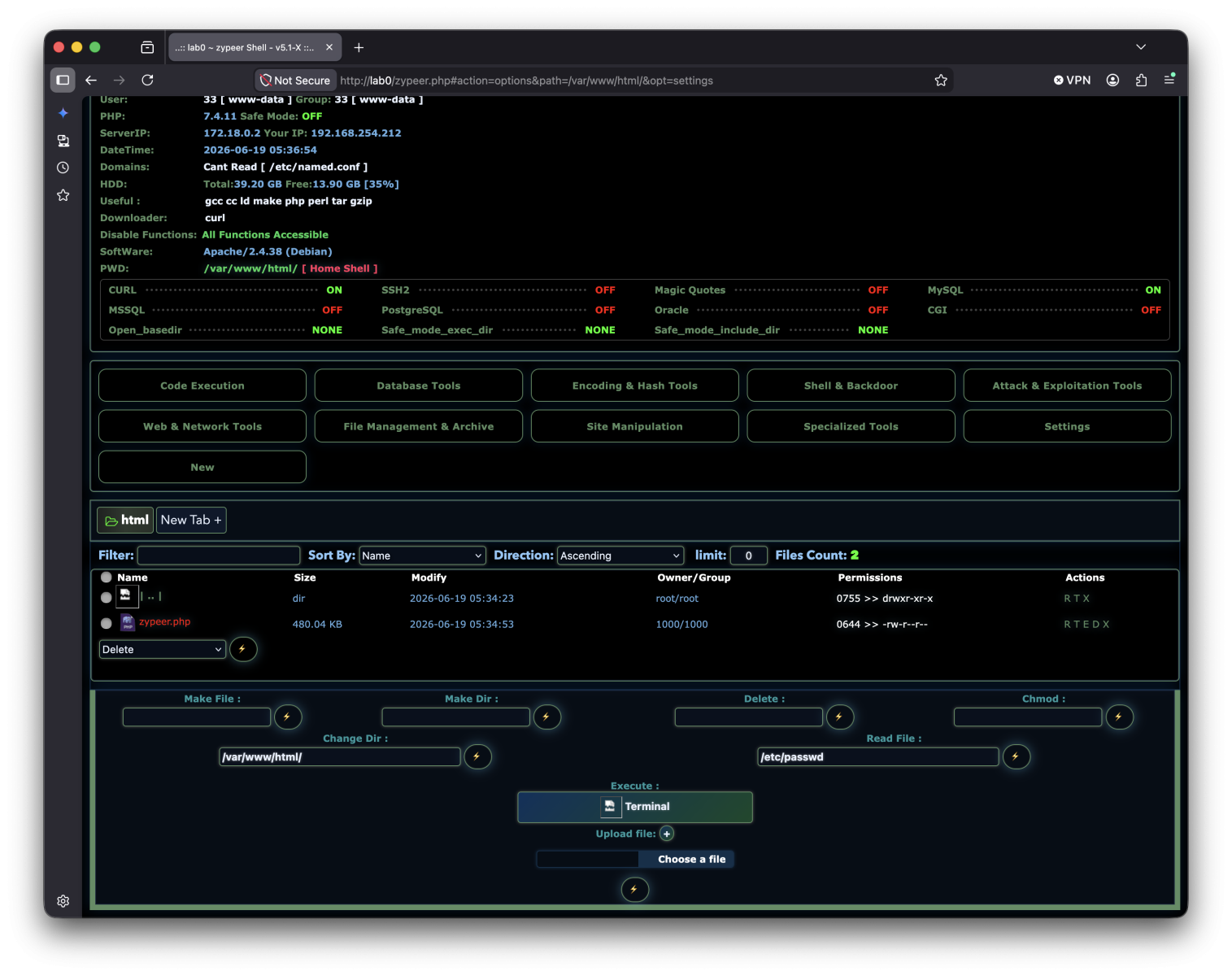
Memory disclosure gets attackers a foothold. Webshells are how they keep it. SANS Internet Storm Center handlers note that webshells remain stubbornly popular, with fresh variants still hitting GitHub, including one pushed only a couple of months ago. The technique is ancient. It refuses to die because it works.
The pattern connects cleanly. A flaw like Squidbleed leaks the credential. The attacker uses it to reach a web-facing host. They drop a small script that blends into a legitimate web directory, and now they own a quiet, persistent door that survives reboots, password resets, and most of your threat detection. Your edge logs show a normal-looking POST request. Your endpoint tooling sees a web server doing web server things.
This is why source-IP blocking and brute-force counters, useful as they are, don’t close the loop here. The traffic isn’t loud. It isn’t a thousand login attempts. It’s one well-formed request to a service you forgot was exposed, followed by silence.
Find The Stuff You Stopped Looking At
You can’t patch or watch what you can’t see. The fix for forgotten infrastructure starts with an honest inventory and ends with monitoring that assumes the quiet path is the dangerous one. Here’s where to put your hours this week.
Immediate actions:
- Inventory your proxies and web-facing middleware. Find every Squid instance, reverse proxy, and legacy web server actually reachable from outside. Patch Squid to the fixed release now; if you can’t patch immediately, restrict access to the proxy port and put it behind authentication.
- Rotate secrets that a memory leak could have touched. Treat session tokens, API keys, and service credentials on or behind affected proxies as exposed. Rotate them. A leaked secret doesn’t expire on its own.
- Hunt for webshells. Diff your web roots against a known-good baseline. Flag new or recently modified script files in upload and content directories, and alert on web processes spawning shells or making outbound connections they have no business making.
- Check your dependency tree. Know which versions of common libraries like hyper your services pull in, and wire up automated alerts for advisories against them. Accidental discoveries become public CVEs fast.
Ongoing discipline:
- Practice defense in depth on the boring tier. Segment proxies and middleware so a single leaked credential doesn’t open the whole network. Assume the perimeter device itself can be the breach.
- Build threat-protection around behavior, not just signatures. Memory-disclosure exploits and webshell callbacks look benign in isolation. Baseline what normal request volume and outbound traffic look like, then alert on the deviation.
- Rehearse incident response for the forgotten-asset scenario. Run a tabletop where the entry point is a service nobody remembered owning. If your team can’t quickly answer “who runs this and what can reach it,” that’s the gap to close before the real call comes.
The thread tying Squidbleed, the hyper bug, and the webshell revival together isn’t a single vendor’s failure. It’s attention. The components doing quiet, critical work are the ones that drift out of your sightline, and that’s precisely where a decades-old flaw waits. Good cyber security here is unglamorous: know what you run, watch the quiet paths, and assume the thing you trust most is the thing nobody has checked in years.
Patch the proxy. Then go find out what else has been running unwatched.
Sources
- Decades-Old Squid Proxy Flaw ‘Squidbleed’ Can Expose User Data
- Webshells Remain Popular (SANS Internet Storm Center)
- How we found a bug in the hyper HTTP library
Take Control of Your Server Security
Don't let brute-force attacks slow you down. Try IPBan Pro risk-free for 30 days.
Secure. Automated. Lightweight.

Take Control of Your Server Security
Don't let brute-force attacks slow you down. Try IPBan Pro risk-free for 30 days.
Secure. Automated. Lightweight.