
Ask most IT teams what breaks their defenses and you’ll hear about zero-days, misconfigured firewalls, or a phishing link nobody should have clicked. Rarely do they mention the user who calmly, deliberately, uninstalled their own antivirus because a pop-up told them to. That’s the uncomfortable thread running through this week’s malware crop, and it says something the cybersecurity industry doesn’t like admitting: a lot of modern attacks don’t break through your controls. They talk your users into removing them.
Three campaigns surfaced in the last few days that, taken separately, look like routine threat intel notes. Taken together, they describe a shift in tactics that every security team should be paying attention to.
The New Playbook: Convince, Don’t Compromise
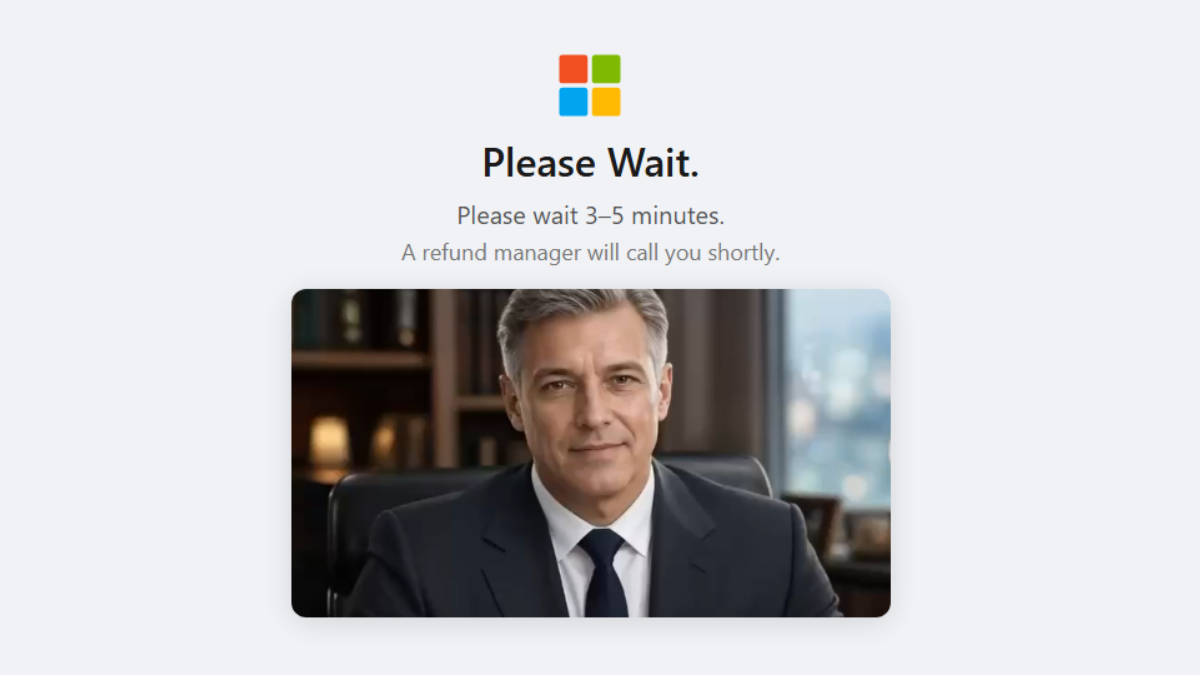
Malwarebytes researchers recently found fake Microsoft-branded security scanners that invent problems on a victim’s machine, tell them their antivirus is the actual threat, and walk them through uninstalling it. Once the real protection is gone, the scam pivots into a refund scheme designed to drain a bank account. There’s no exploit here, no privilege escalation, no clever bypass of endpoint threat-protection. Just a convincing enough imitation of a trusted brand to get a user to do the attacker’s job for them.
Pair that with WordlistLoader, a loader documented by Gen Digital that delivers the Amatera Stealer through ClickFix-style fake CAPTCHA pages. The victim is told to “verify they’re human” by pasting a command into their own Run dialog. It works because it looks like the kind of mildly annoying friction people encounter online every day. Nobody double-checks a CAPTCHA.
SynkLoader Brings Back an Old Trick for a New Reason
Dark Reading’s writeup on SynkLoader is worth reading in full, but the short version is that it’s a multilingual, multitool malware family that revives screen hijacking, an old-school technique for capturing what a victim sees and types, and combines it with a long list of newer capabilities aimed at harvesting Windows credentials. Researchers believe it’s being sold as an access broker tool, meaning whoever’s behind it isn’t necessarily the group that eventually deploys ransomware. They’re the ones who get the door open and hand off the keys.
From Multitool to Ransomware On-Ramp
That access-broker model matters more than the specific screen-hijacking mechanic. It means the initial compromise, in a lot of these cases, doesn’t look like an attack at all from the SOC’s perspective. It looks like a user who had a weird pop-up, clicked through it, and moved on. By the time credentials get sold and a ransomware crew shows up weeks later, the actual entry point is ancient history, buried under normal log noise. Good incident response depends on catching that entry point early, and these loaders are built specifically to not look like one.
Why Cybersecurity Tools Keep Missing This
There’s a pattern in how vendors talk about cybersecurity that assumes the fight happens at the edge of the network: block the bad IP, catch the bad file, stop the bad connection. That model still matters, but it has a blind spot the size of a browser tab. When the “malicious payload” is a set of typed instructions a human carries out willingly, signature-based tools have almost nothing to grab onto.
Even on the file side, defenders are getting outpaced. The SANS Internet Storm Center’s look at DOUBLECUP malware this week found something almost funny: the payload is dropped inside a PNG file, but it isn’t using real steganography. It doesn’t need to. A crude append-to-file trick was enough to slip past a chunk of automated analysis pipelines that were looking for something more sophisticated than what was actually there. Attackers keep discovering that they don’t need to out-engineer your threat detection. They just need to guess correctly about what it’s watching for.
This is the argument for defense in depth that actually holds up under scrutiny: not “more tools,” but tools that watch different layers, because no single layer sees the whole picture. A scanner that only inspects file structure will miss a user typing a command by hand. A firewall that only tracks connections will miss credential theft that rides over an already-trusted session.
Hardening Users Isn’t a Training Slide
Awareness training gets blamed and credited for too much. The realistic goal isn’t turning every employee into an analyst; it’s shrinking the number of moments where a user’s judgment is the last line of defense, and making the moments that remain harder to get wrong. A few things actually move the needle:
- Block the browser-to-shell pathway. ClickFix and similar techniques rely on users pasting text into Run dialogs or terminals. Group policy can restrict this, and endpoint detection rules can flag Win+R followed immediately by a paste from clipboard.
- Treat “uninstall your antivirus” as a five-alarm event. Any uninstall or disablement of endpoint protection outside a change window should trigger an automatic alert, not a quiet log entry discovered during a retro after the ransomware note shows up.
- Lock down who can act on unsolicited security pop-ups. Standardize what a legitimate internal security prompt actually looks like, and make it different enough from a browser pop-up that the fake ones stand out.
- Audit for access brokers, not just ransomware. If SynkLoader-style tools are selling initial access separately from the eventual payload, your detection has to catch the handoff stage, unusual credential harvesting, unfamiliar remote tools, screen capture activity, not just the final encryption event.
- Assume brute-force and social engineering are two ends of the same problem. Both are attempts to get past authentication without solving it properly. The same discipline that hardens login pages against brute-force attempts, rate limiting, anomaly-based lockouts, should extend to monitoring for credentials harvested elsewhere and reused against your systems.
None of this requires exotic tooling. It requires treating the human-facing layer of your environment with the same rigor you’d apply to a firewall rule set, because that’s effectively what it is now.
Frequently Asked Questions
- How do fake Microsoft security scanners get onto a victim’s machine?
- They’re usually delivered through malicious ads, compromised websites, or pop-ups that mimic a Windows security alert closely enough to pass a casual glance. No installation exploit is needed since the victim is guided through the process themselves.
- What makes SynkLoader different from typical credential stealers?
- It combines older screen-hijacking techniques with a broad, multilingual feature set and appears to function as an access-broker tool, meaning the group deploying it may not be the same group that eventually launches ransomware using the stolen access.
- Can endpoint protection be configured to prevent itself from being uninstalled by a user?
- Most enterprise-grade endpoint tools support tamper protection and admin-only uninstall policies. Enabling these settings, and alerting on any uninstall attempt, closes off one of the easiest wins available to this style of attack.
Sources
- Fake Microsoft security scans trick victims into uninstalling their antivirus
- Tricky ‘SynkLoader’ Multitool May Herald Ransomware
- WordlistLoader Delivers Amatera via ClickFix, SynkLoader Phishes Windows Passwords
- DOUBLECUP’s PNG Payload
Take Control of Your Server Security
Don't let brute-force attacks slow you down. Try IPBan Pro risk-free for 30 days.
Secure. Automated. Lightweight.

Take Control of Your Server Security
Don't let brute-force attacks slow you down. Try IPBan Pro risk-free for 30 days.
Secure. Automated. Lightweight.