
Everyone assumes ad-tech surveillance and cybersecurity threats live in different files. One is a privacy annoyance you shrug off before hitting “accept all cookies.” The other is a P1 incident that pages the on-call engineer at 2 a.m. That’s a comforting story security teams like to tell themselves, and it doesn’t hold up. This week Papa Johns confirmed it’s using grocery purchase data from Instacart and NBCUniversal to guess when your fridge is empty, then serving you a “light on groceries?” ad on streaming TV. In the same week, researchers documented phishing kits that fingerprint a victim’s device and operating system in real time and adjust the payload accordingly. Different industries, same playbook: profile the human, then act on the profile.
That overlap matters more than a shared creepiness factor. The fingerprinting techniques marketers use to sell you pizza are structurally identical to the ones attackers use to increase compromise rates. If you’re building a threat model that treats ad tech and attacker tradecraft as unrelated categories, you’re missing a real attack surface.
The Fingerprint Economy Doesn’t Care Who’s Asking
Carrie Drinkwater, an ad executive quoted in the Papa Johns story, described the goal as “knowing what is in their fridge without being too creepy.” Strip out the marketing gloss and what she’s describing is behavioral profiling built on purchase history, device signals, and timing patterns, stitched together across three companies that don’t share a boardroom but share a data pipeline. That pipeline exists because the infrastructure to build it is now cheap, standardized, and available to anyone with a budget.
Attackers have the same budget line, minus the compliance department. Dark Reading reported on phishing campaigns that read a victim’s user-agent string and other device signals, then dynamically swap out the lure to match. Windows user gets a fake Microsoft security alert. macOS user gets an Apple ID prompt. Mobile user gets a payload built for a smaller screen and a faster tap. It’s the same fingerprint-then-personalize logic Papa Johns is running, just aimed at a credential instead of a purchase.
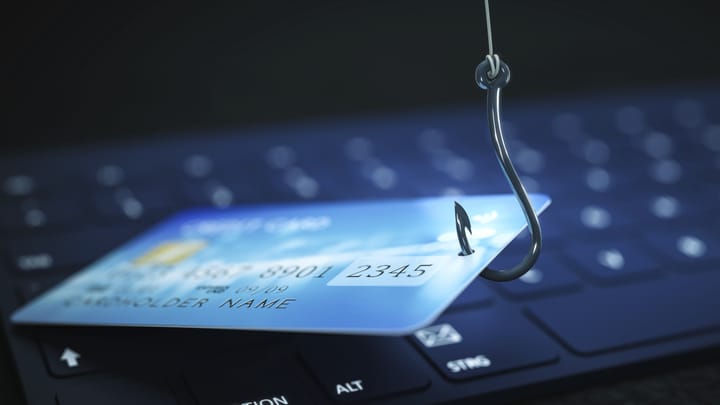
Your Browser Was Never Built to Keep a Secret
None of this works without a browser and a network stack that happily hand over identifying details to anyone who asks. That’s not a bug attackers found. It’s a design choice the web made decades ago in the name of compatibility, and it’s now load-bearing for two entire industries.
What Gets Handed Over on Every Page Load
A single connection can leak enough to build a working profile without a single cookie:
- User-agent string, revealing browser, version, and operating system
- Screen resolution, installed fonts, and GPU details, used for canvas and WebGL fingerprinting
- TLS and TCP stack characteristics, which can identify the underlying OS even when the user-agent is spoofed
- Timezone, language headers, and battery or connection status APIs
- IP address and ASN, which map to network provider and rough geography
Marketers combine these signals with purchase data to decide which ad creative to serve. Attackers combine the same signals to decide which exploit chain or credential harvesting page to serve. The delivery mechanism, a real-time decision made in milliseconds based on client-side telemetry, doesn’t distinguish between the two use cases. Your infrastructure shouldn’t either.
Hardening the Signals Attackers and Advertisers Both Exploit
Treating fingerprinting as a cyber security problem rather than a marketing footnote changes what you prioritize. This isn’t about blocking every tracker; it’s about denying attackers the same reconnaissance advantage that makes their adaptive phishing so effective, and building threat detection that assumes personalization is happening against your users right now.
- Standardize managed endpoints. Lock down browser configuration on corporate devices so user-agent, font lists, and extension sets are as uniform as possible. Less variance means less signal for a phishing kit to key off, and easier anomaly detection when something doesn’t match the fleet baseline.
- Push fingerprint-aware detection to the edge. A firewall or WAF that only checks IP reputation is fighting last decade’s threat. Modern threat-protection layers should flag sessions where the TLS fingerprint, user-agent, and behavioral pattern don’t line up, a common tell for both bots and adaptive phishing infrastructure probing your login pages.
- Pair fingerprint detection with brute-force controls. Adaptive phishing campaigns that successfully harvest credentials feed straight into automated login attempts. Rate limiting, progressive lockouts, and IP reputation scoring on authentication endpoints close the gap between a stolen password and a working session.
- Feed the anomalies into incident response, not a dashboard nobody checks. A spike in mismatched device fingerprints hitting your login page is a leading indicator, not background noise. Route it into the same queue that triggers your actual incident response playbook.
- Extend security hardening to the browser layer. Restrict which extensions can run on managed devices and disable unnecessary client-side APIs (battery status, certain sensor access) that contribute to fingerprinting without adding real functionality for most users.
- Build defense in depth around the assumption that perimeter tools will be personalized against. If an attacker knows your users are on Windows 11 with a specific EDR agent, assume they’ve tested their payload against it. Layer detection at the identity and network level so a single evaded control isn’t the whole defense.
The Meeting Bots Are the Next Profiling Vector
The fingerprinting problem isn’t staying confined to browsers and ad networks. Microsoft just rolled out new Teams admin controls that require organizer approval before an external AI bot can join a meeting, a direct response to unauthorized AI notetakers and assistants slipping into sensitive calls and quietly harvesting everything said. Separately, governance vendors like Netzilo are racing to give enterprises a consistent way to observe and control AI agents operating across cloud platforms, developer environments, and now meeting rooms.
Read that alongside the Papa Johns and phishing stories and the pattern is obvious. Every new automated participant, whether it’s an ad broker’s tracking pixel, a phishing kit’s fingerprinting script, or an uninvited AI bot sitting in on a board meeting, is collecting behavioral data it wasn’t explicitly granted, and doing something useful with it later. The fix in every case is the same discipline: know who and what is authorized to observe your users, and treat anything unauthorized as an incident, not a curiosity.

Frequently Asked Questions
- Is browser fingerprinting actually a cybersecurity risk, or just a privacy issue?
- Both. The same signals that let advertisers personalize a pizza ad let phishing kits pick the right lure and payload for your OS, which measurably increases compromise rates. Any signal that improves an attacker’s targeting belongs in your threat model.
- Can we actually block fingerprinting without breaking business tools?
- You won’t eliminate it, but you can shrink the signal. Standardizing managed browser configurations, restricting unnecessary client-side APIs, and controlling extensions reduces variance without disrupting normal work, and it makes real anomalies easier to spot.
- How does this connect to brute-force login attacks?
- Adaptive phishing that successfully steals a credential is frequently followed by automated login attempts from infrastructure that also gets fingerprinted. Rate limiting and lockout policies tuned to fingerprint anomalies catch that second stage even if the phishing email got through.
Sources
- Papa Johns Surveillance-Based Advertising
- Crafty Phishing Campaigns Auto-Adapt to Victim’s Device, OS
- Microsoft Adds New Teams Controls to Block Unauthorized AI Bots From Meetings
- Netzilo adds runtime governance for AI agents across major platforms
Take Control of Your Server Security
Don't let brute-force attacks slow you down. Try IPBan Pro risk-free for 30 days.
Secure. Automated. Lightweight.

Take Control of Your Server Security
Don't let brute-force attacks slow you down. Try IPBan Pro risk-free for 30 days.
Secure. Automated. Lightweight.